 SliTaz Lab
TazTerm
A light GTK3/VTE terminal with split panes, made for working with AI coding agents. One C binary, about 24 MB of RAM for a window, no daemon, no cloud, no account.
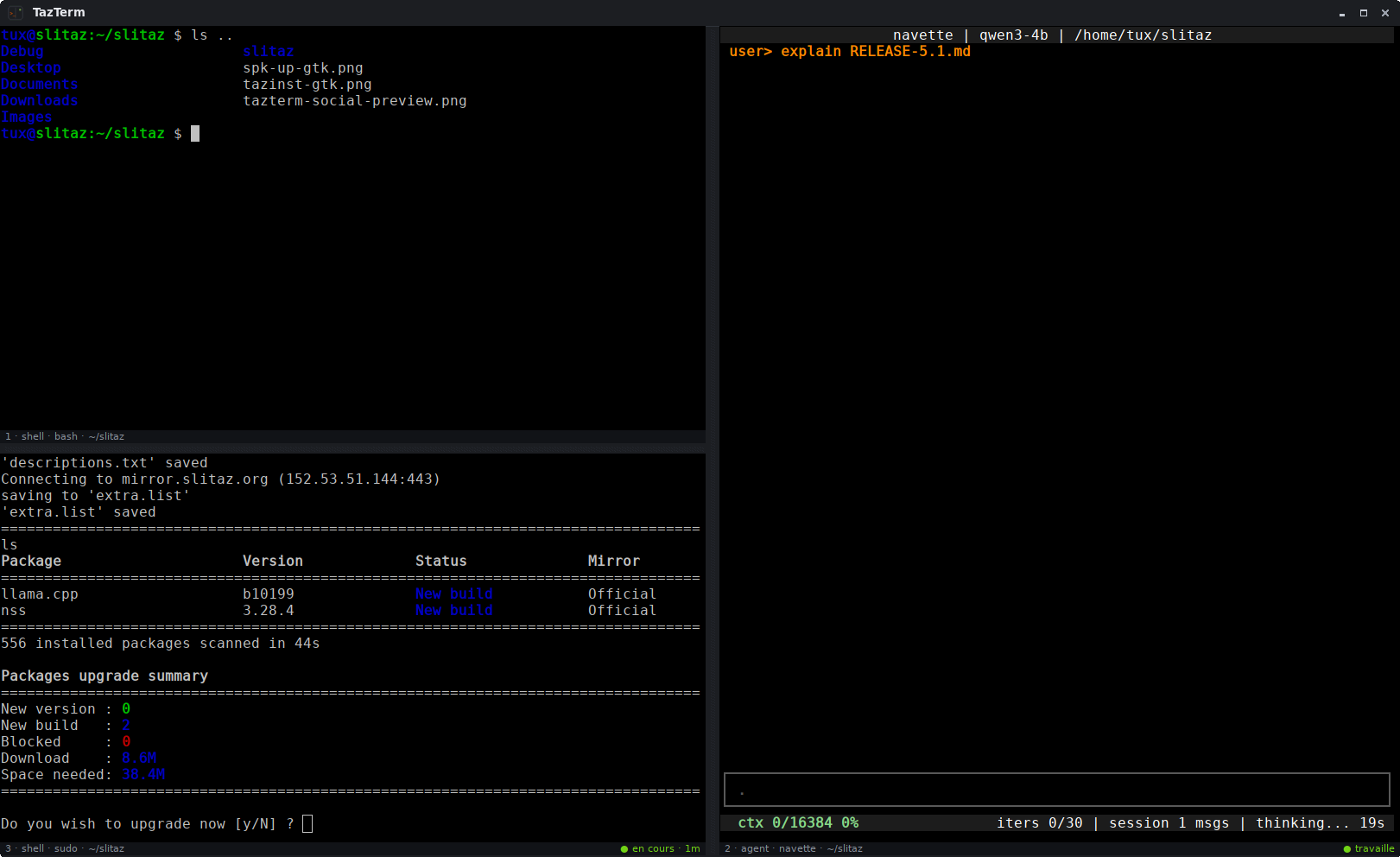
TazTerm is the terminal of SliTaz. It is developed and used every day on SliTaz itself, to build the packages, ISOs and tools of the distribution, with agents such as Claude Code, opencode and navette running in split panes next to the shells.
Why
Coding agents run in a terminal, and the first thing they ask is “paste me the error”. TazTerm lets them look for themselves, safely:
- The agent reads your panes.
tazterm ctl readgives it the output of the pane you were just in,tazterm ctl read -lthe exact last command with its exit code. No copy and paste. - Read-only by design. An agent can look at your panes, never type into them: terminal output can carry prompt injections, writing to a shell stays a human action.
- Secrets stay home. Private keys, API tokens and
password=values are masked as[REDACTED]before anything reaches an agent. - You know who needs you. Each pane has a status line (working, waiting, exit code, running for 2m). A pane that rings, or a long command that ends while you look elsewhere, gets an orange outline.
- Light. C, GTK3 and VTE, nothing else. It runs on the old 32-bit machines SliTaz supports and leaves the RAM to local models on newer ones.
Features
- Split panes, keyboard navigation, zoom, fullscreen, search
- Command blocks for bash: each command with its output, exit code and duration; jump from prompt to prompt
- Agent panes: detects claude, opencode and navette, opens one in a split,
sends it a selection or the last failed command (never submitted: you add
your question). Click a red
✗ exit Nto do the same - Safe paste: control characters stripped, confirmation before a multi-line paste into a shell
- Ctrl+click on URLs and on
file:line(compilers,grep -n, tracebacks) opens your editor at that line - xterm-compatible command line:
-e,-T,-geometry,-hold
tazterm ctl
Every pane exports TERM_PROGRAM=tazterm. Any agent able to run
a shell command can use it:
tazterm ctl ls          # panes: id, role, state, process, cwd
tazterm ctl read        # last 200 lines of the pane you came from
tazterm ctl read -l     # its last command, output, exit code
tazterm ctl wait        # wait for the next command there to end
tazterm ctl events      # live stream: block, bell, notify, exit…
tazterm ctl notify done # outline the agent's pane
tazterm ctl guide       # how an agent should use all this
To teach your agent, one line in your CLAUDE.md or
AGENTS.md:
If TERM_PROGRAM=tazterm, run `tazterm ctl guide` once: it explains
how to read the user's panes instead of asking them to paste output.
Keys
| Ctrl+Shift+E / O | Split side by side / stacked |
| Alt+Arrows | Move to the neighbor pane |
| Ctrl+Shift+Z | Zoom the pane |
| Ctrl+Shift+A | Open an agent split |
| Ctrl+Shift+T | Send the selection to the agent |
| Ctrl+Shift+X | Send the last command to the agent |
| Ctrl+Shift+Up / Down | Previous / next prompt |
| F1 | All the shortcuts in use |
Every shortcut can be changed in
~/.config/tazterm/tazterm.conf.
Get it
On SliTaz (cooking, i486 and x86_64):
spk-add taztermAnywhere else, it needs GTK 3.22+ and VTE 0.56+ (vte-2.91):
make && sudo make installSources, full documentation and security model: github.com/pankso/tazterm · BSD license.